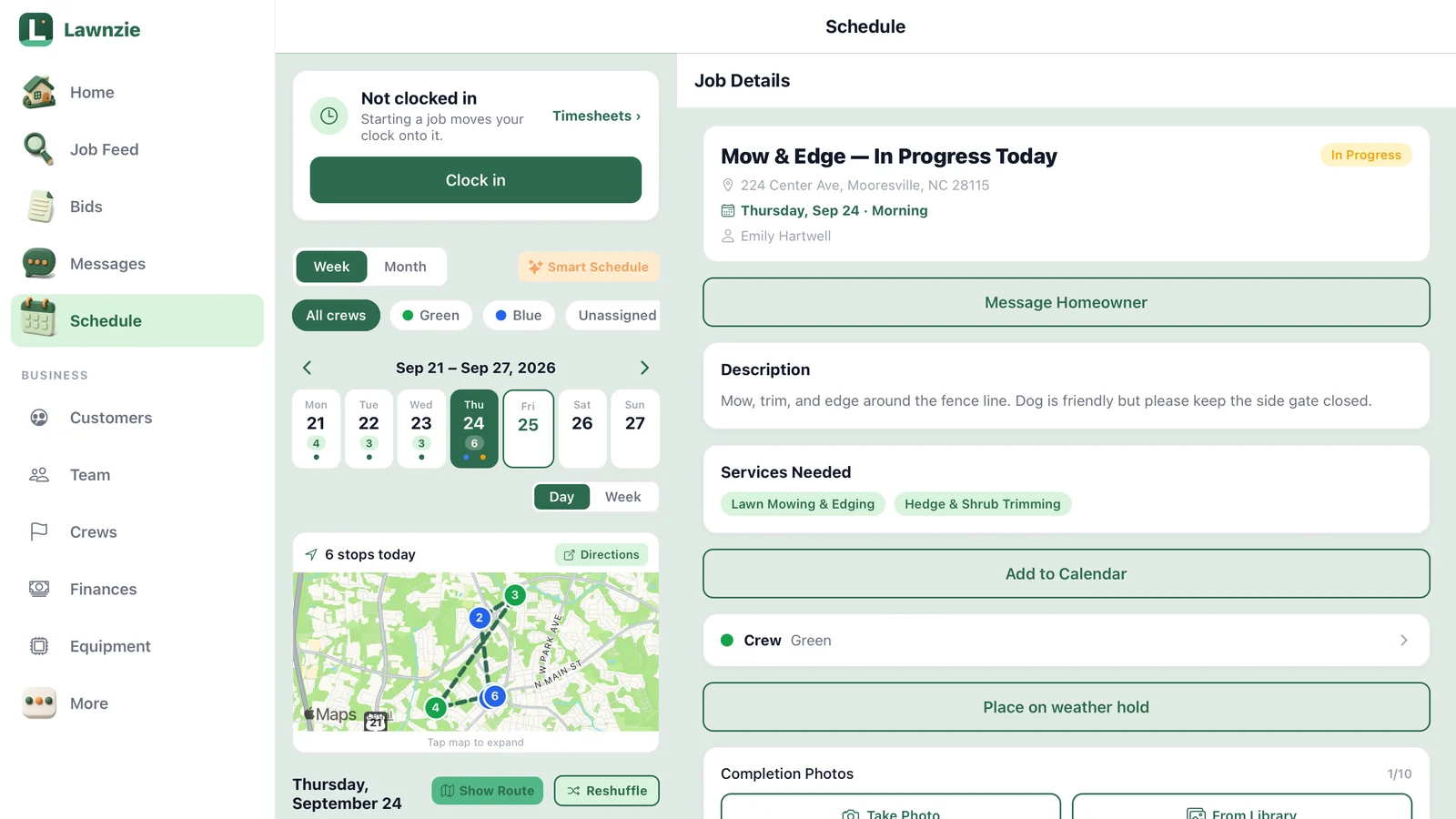
What's New in Lawnzie: Starter Templates, Switching Made Easy and a Closer Look at Timesheets
Set up your price list in minutes with 13 starter services, move your whole book over from another app or from paper, and track quotes you send to customers who aren't on Lawnzie yet. Here's what shipped in the last two weeks and where to find it.
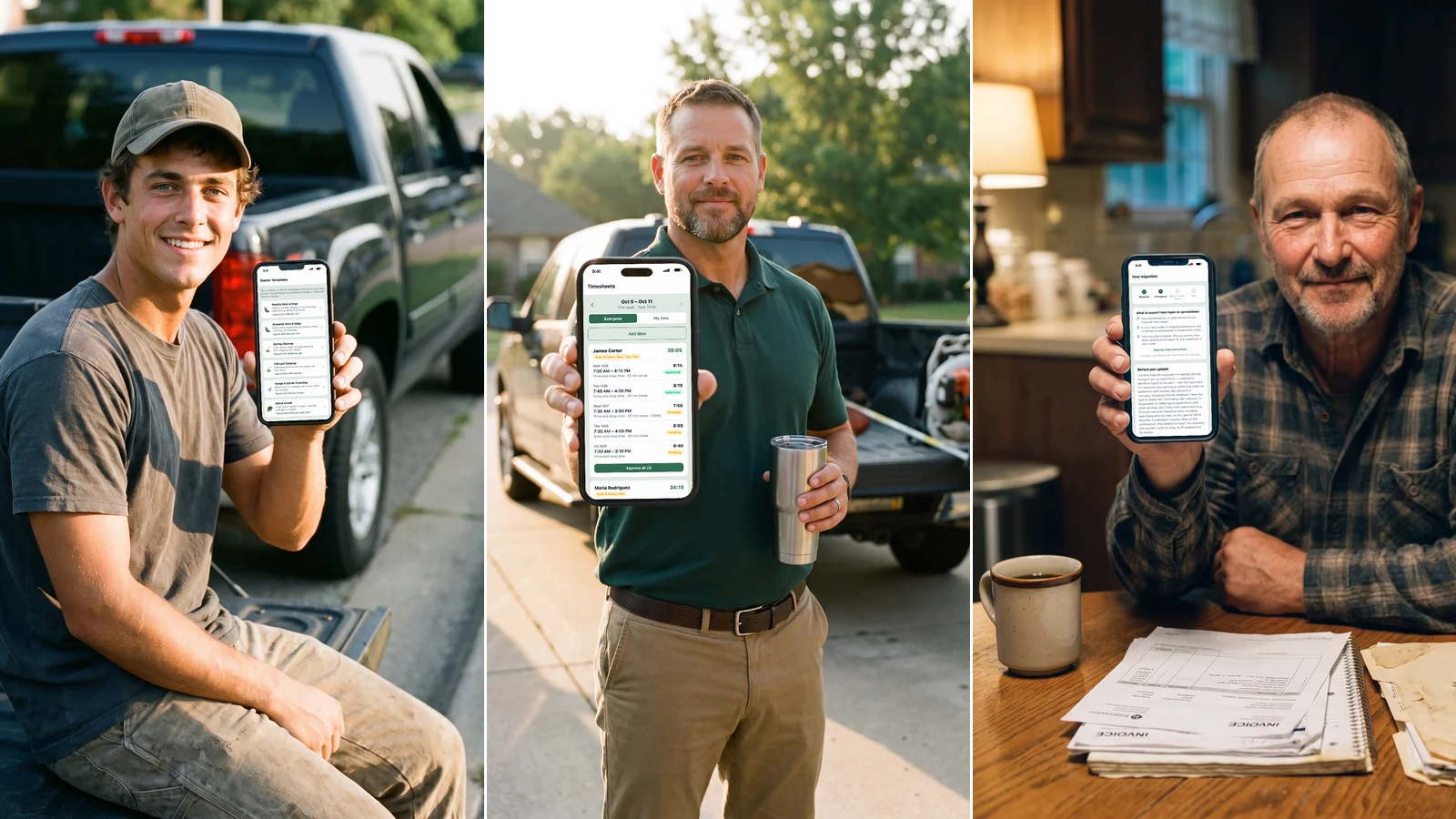
Here's the second of our regular roundups: what shipped in the last two weeks, what it costs, and exactly where to find it in the app.
Starter templates: your price list in minutes
Service templates let you build a quote in a couple of taps instead of typing every line. Starting from a blank page was the slow part, so we've added 13 starters that cover the work most pros do.
Open More → Business → Service Templates. If you don't have any templates yet, tap Browse Starter Templates. If you already do, tap the Starter templates row at the top.
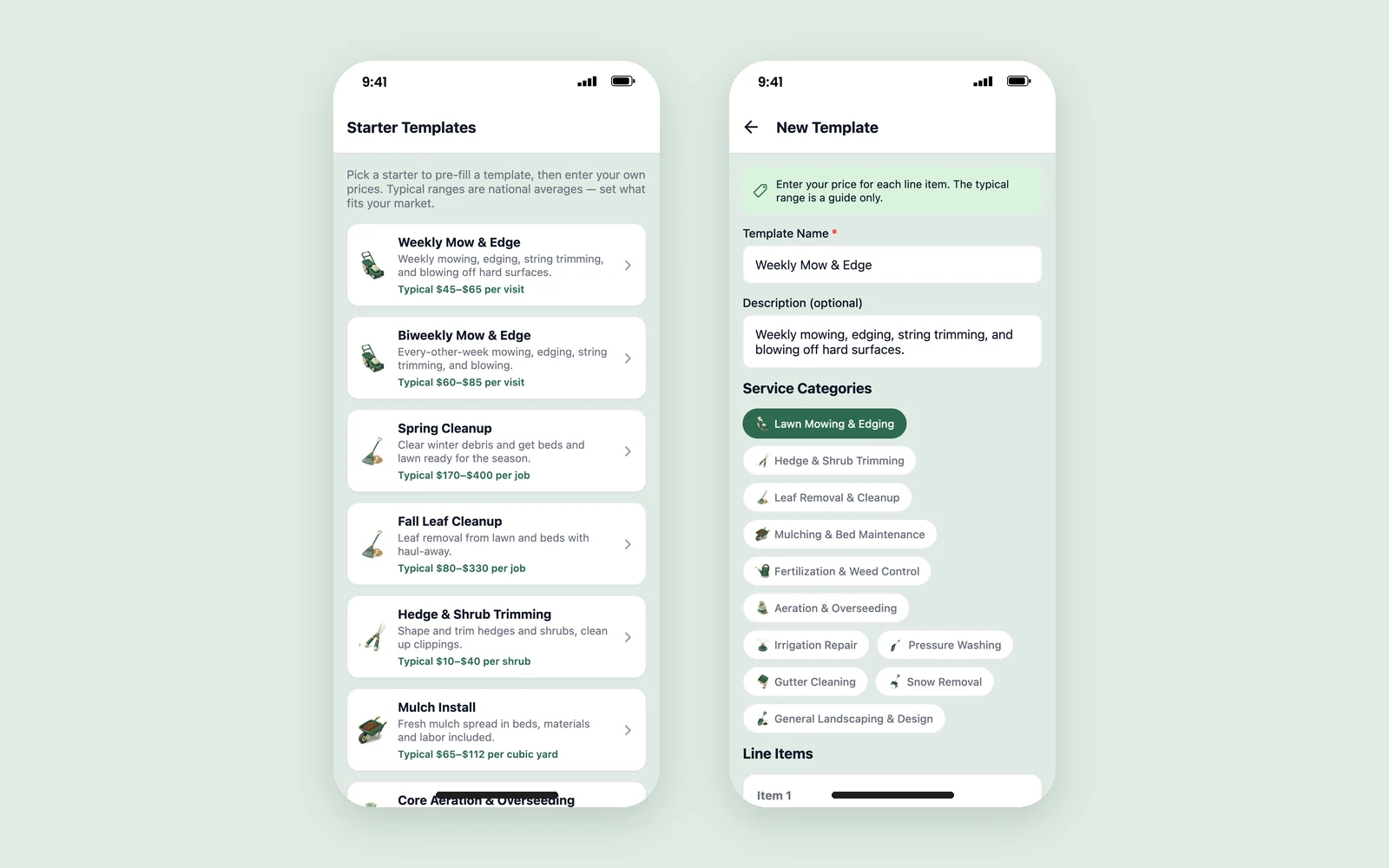
The starters are:
- Weekly Mow & Edge and Biweekly Mow & Edge
- Spring Cleanup and Fall Leaf Cleanup
- Hedge & Shrub Trimming and Mulch Install
- Core Aeration & Overseeding
- Fertilization & Weed Control
- Gutter Cleaning and Driveway Pressure Wash
- Sprinkler Spring Start-Up and Sprinkler Winterization
- Driveway Snow Plowing
Pick one and it fills in the name, description, category and line items. Every price starts blank. Under each price you'll see a typical range, like "Typical $45–$65 per visit" for a weekly mow. The ranges are national averages, so set what fits your market. You can't save a template until every line has your own price.
Starter templates are free.
Switch to Lawnzie without starting over
The hardest part of changing apps isn't learning the new one. It's everything stuck in the old one: your customer list, who you mow and how often, the credits and prepaid balances you owe people. And when you keep your book on paper or in a spreadsheet, the hard part is typing it all in.
You export, we import. Fill out the short form at lawnzie.com/switch and tell us what you use now and what you need moved. Then:
- Export your records from your old app, or snap clear photos of your customer book pages
- Upload the files in Lawnzie: CSV, Excel, ZIP, PDF or photos, up to 50 MB each
- We import them and show you the result to review before you're done
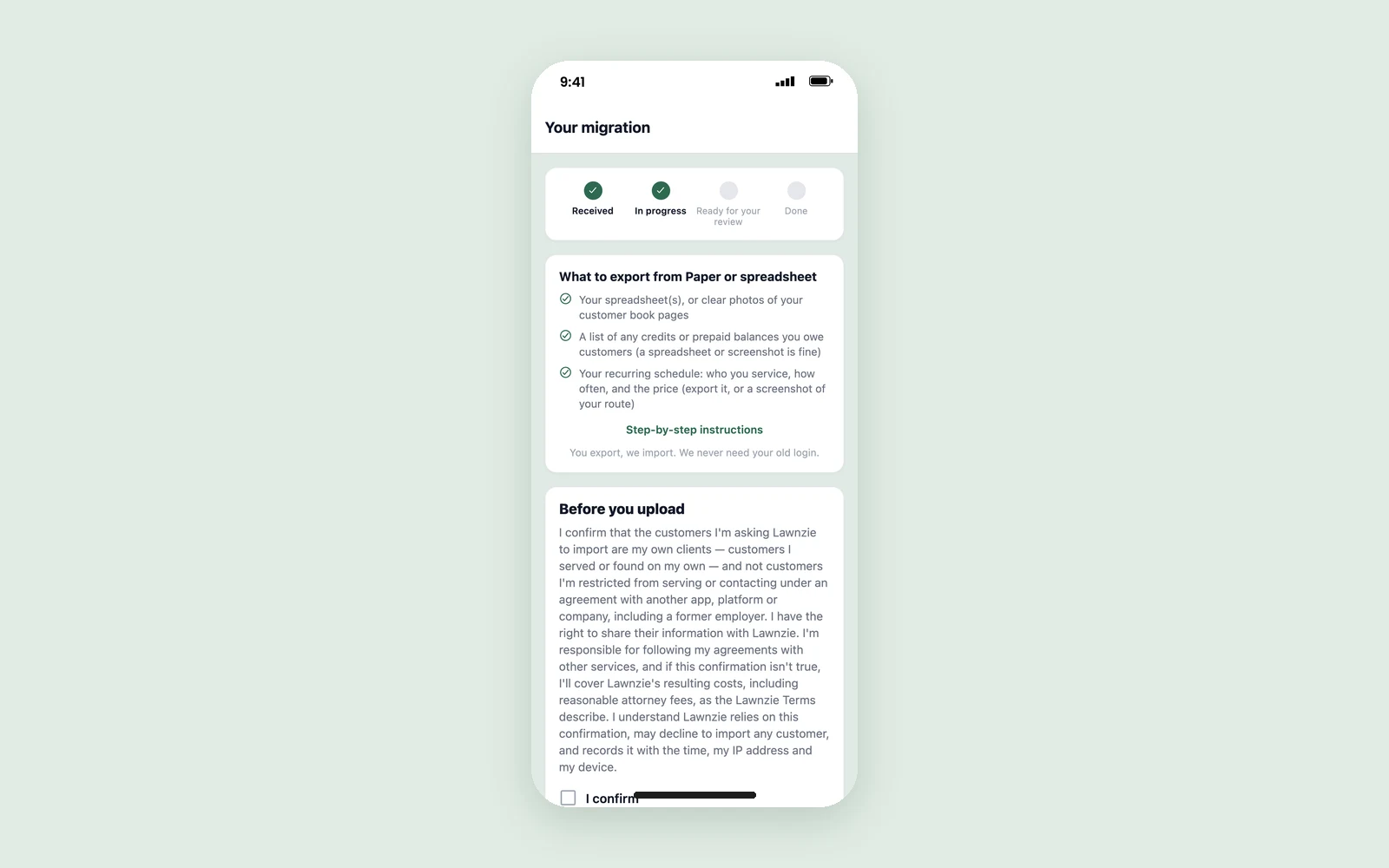
You'll find a checklist of exactly what to export from your app, with step-by-step instructions, on the Your migration screen. You can follow your move there from Received to In progress, Ready for your review and Done.
We never need your old login
You export your own records and upload them. We never log into your old account, and you only bring over your own customers. Before you upload, you'll confirm that the customers you're moving are yours.
White-glove moves are part of Business+, and that includes the Business+ trial. We take five a month so each one gets real attention. If a month is full, you'll be on the list for the next open month. Every pro can use our free switching guide to do it themselves, and our post on switching apps mid-season covers what to bring and when.
Already in the app? You'll see Switching from another app? when you import customers, on the Business+ screen, and under Help & Support.
Link quotes now show up in Bids
When you quote a customer who isn't on Lawnzie yet, we send them a link by text or email. Those quotes now live in Bids alongside the rest, with a Link quote tag and a Link quotes filter.
To send one, tap + in Bids, choose New Quote, pick the customer and tap Send Quote Invite.
Open a link quote to see:
- whether your customer has opened it, when they first did, and how many times
- whether it's Awaiting signup, Approved on link, Expired or Cancelled
- Copy link to send it again yourself, or Cancel quote if plans change
Once your customer signs up, it becomes a regular quote in your list. Link quotes are free.
A closer look at Timesheets (Business+)
We introduced the crew time clock two weeks ago. Here's what the owner's side looks like once your crew has a week on the clock.
Your crew clocks in and out from the Schedule tab. When they start a job, their clock moves onto it, and time between jobs counts as drive and shop time.
Open More → Business → Timesheets to see the week for everyone, with each person's total at the top of their card.
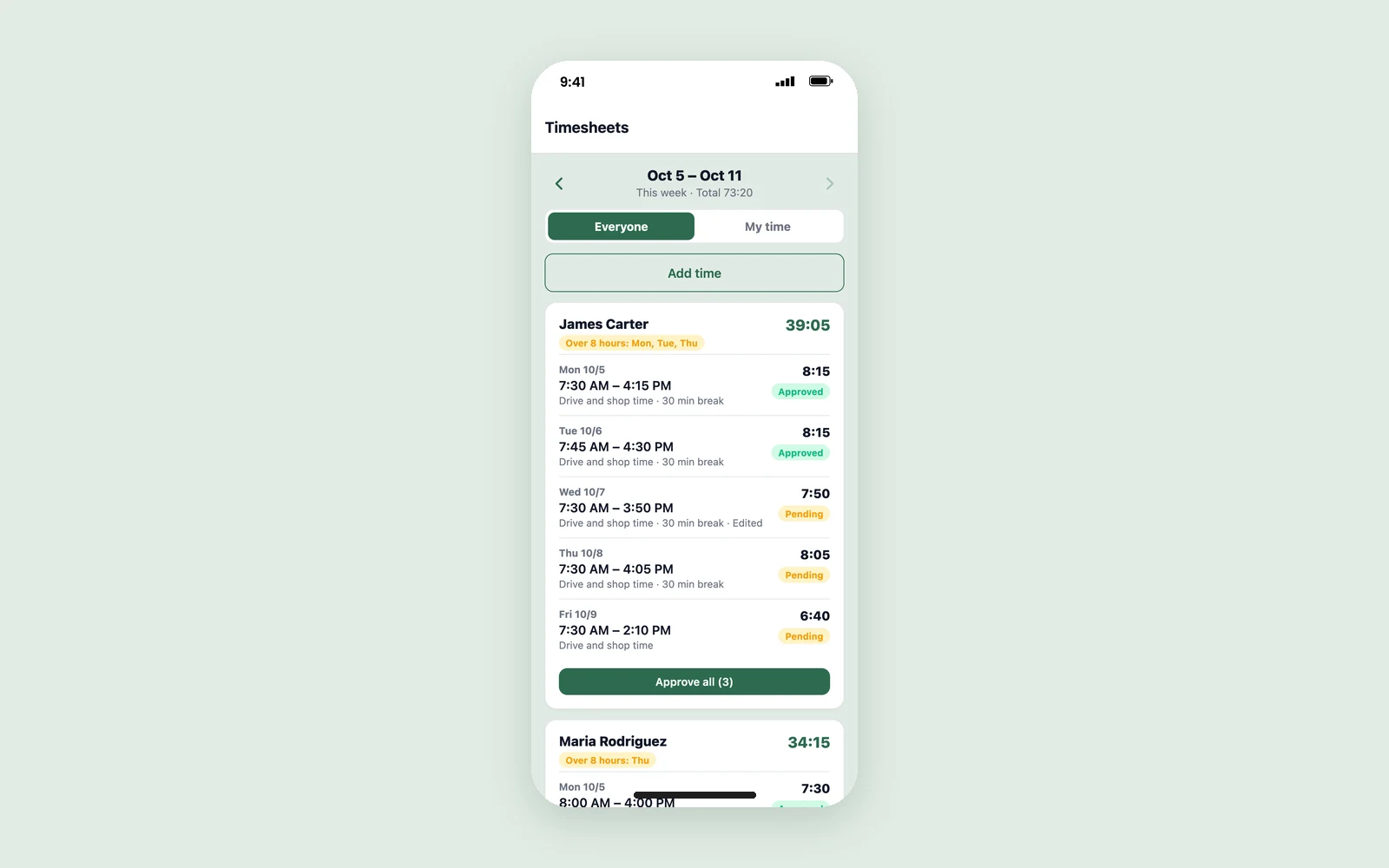
From there you or a manager can:
- Approve all pending hours for a person at once, or approve days one at a time
- Edit a day or Add time someone forgot. Edited days keep the original punch, so you can always see what changed
- spot long days and weeks: anything over 8 hours in a day or 40 in a week is flagged
- Export approved hours (CSV) for Gusto, QuickBooks Payroll or your payroll provider
Managers can't approve their own time; the owner does. Lawnzie tracks and approves hours. It doesn't run payroll or pay anyone.
The time clock runs on the business owner's Business+ plan. Your employees never pay anything.
Smaller things worth knowing
- Reminders for unopened quotes. If a homeowner hasn't opened your quote after a day, we send them a reminder, at most two per job. You don't have to chase.
- Accepting your quote is easier. Homeowners can now see your quote and accept it from one link in their email, without signing in. Accepting takes a card, so a yes comes with a way to pay you.
- Fresh sign-in links. If a homeowner taps an old email link that has expired, they can get a new one in one tap instead of hitting a dead end.
What's next
We'll be back in two weeks with the next round. If there's something you want Lawnzie to do, tell us through Messages → Lawnzie Support.
Enjoying Lawnzie?
A quick review helps other pros find us. You can leave one on the App Store, on Google Play, or on Google.
Frequently asked questions
Are the starter templates free?+
Yes. Starter templates are free for every pro. Open More → Business → Service Templates to find them.
Do the starter templates set my prices for me?+
No. Every price starts blank. Each line shows a typical range from national averages as a guide, and you can't save a template until you've entered your own price for every line.
Who can get a white-glove move to Lawnzie?+
White-glove moves are for Business+ pros, including during the Business+ trial. We take five a month; if a month is full, you're put on the list for the next open month. Every pro can use the free self-serve switching guide.
Do you need my login for my old app?+
No. You export your records from your old app, upload the files to Lawnzie, and we import them. We never log into your old account.
Does Lawnzie run payroll?+
No. Lawnzie tracks your crew's hours and lets you approve them, then exports the approved hours as a CSV file for Gusto, QuickBooks Payroll or your payroll provider.